Getting Started in Roll Your Army
Learn the core loop, first-hour priorities, and where to go next on this wiki.
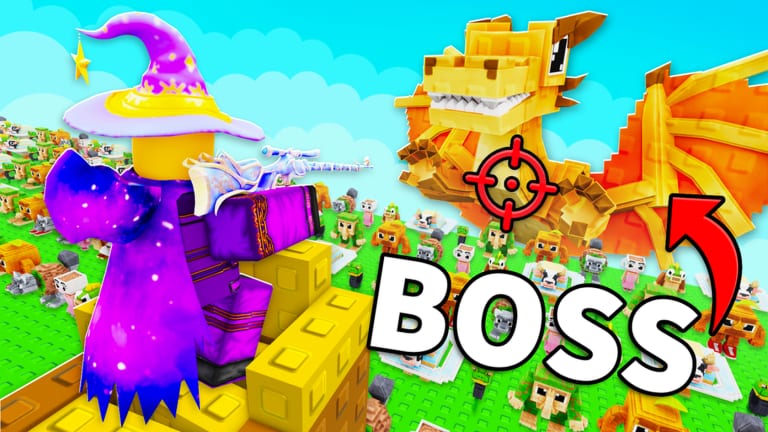
Roll Your Army is a Roblox base-defense incremental game by Base Guardians! where you roll random troops, place them around your base, and fight off waves of Brainrots. Brainrots can be equipped for passive money, sold for cash, or kept as combat pieces. Lucky Blocks boost your roll luck, the Skill Tree unlocks permanent upgrades, and Saturday updates keep the meta shifting. This guide covers everything you need in your first session so you do not waste rolls, coins, or Brainrot slots before your base is ready.
What Roll Your Army is about
The game combines gacha-style rolling with tower-defense positioning. You press the roll button to pull a random troop, evaluate its rarity and role, then place it on valid tiles near your base. Meanwhile, Brainrot enemies march in waves — each wave gets tougher, and failing to clear them chips away at your core health. Income from equipped Brainrots and wave rewards feeds back into more rolls, Skill Tree purchases, and Lucky Blocks. The loop is simple to learn but deep once rarity tiers, luck stacking, and layout optimization enter the picture.
If you are brand new to Roblox base-defense games, think of Roll Your Army as roll → place → defend → earn → upgrade → repeat. Offline progress and auto-roll upgrades mean your account keeps moving even when you are not actively clicking.
First-hour checklist
Follow this order before you start chasing rare pulls or rearranging your entire base.
- Load the experience and finish the tutorial prompts. The in-game onboarding shows where the roll button, placement grid, and wave start controls live.
- Redeem working codes immediately. Open Shop → Codes and enter
UPDATE4for free Brainrots. See our full Roll Your Army codes list for redemption steps and backup codes like UPDATE3. - Place your first combat troops near choke points. Melee units belong closer to the path; ranged units benefit from tiles with line of sight to multiple lanes. Read the controls guide if placement feels awkward on mobile or PC.
- Equip income Brainrots on open slots. Passive cash accelerates Skill Tree purchases. Our Brainrot income guide explains which units to keep versus sell.
- Start your first Brainrot wave and observe damage. Note which side of your base leaks enemies first — that tells you where to reinforce. The beat Brainrot waves guide breaks down wave scaling.
- Spend early Skill Tree points on Luck and Auto Roll. These two upgrades multiply every future session. Details are in the Skill Tree guide.
- Join the official Discord at
HhUDAFWQytfor Saturday patch notes, code drops, and balance discussion from other players.
Understanding troops versus Brainrots
Troops are primarily combat units you place on the field. Brainrots fill a dual role: many provide passive income when equipped, while others can fight or offer special bonuses. Early on, you will pull plenty of low-tier copies — sell duplicates you do not need, but always compare against the troops tier list and Brainrots tier list before scrapping something that carries you through mid-game waves.
Browse the troops roster hub and Brainrots roster hub to see naming conventions, rarity colors, and which units players report finding in late waves.
Economy basics: rolls, luck, and Lucky Blocks
Every roll costs time or currency depending on your upgrades. Luck shifts the probability table toward higher rarities; roll speed determines how many pulls you complete per minute. Lucky Blocks purchased from the shop grant temporary or permanent luck boosts — stack them before long rolling sessions. Use the Luck Planner tool to estimate when a Lucky Block plus friend bonus plus group bonus is worth the cost.
Do not burn premium currency on cosmetic rolls until Auto Roll and Luck I are online. Those Skill Tree nodes pay for themselves within a few play sessions.
Base layout on day one
You do not need a perfect layout immediately, but avoid scattering units randomly. Group damage dealers so they focus fire on the same Brainrot pack, leave space for future merges or replacements, and keep a reserve tile open for a high-rarity pull you get mid-wave. The dedicated base defense guide covers choke points, trap placement, and when to reposition after an update.
Saturday updates and staying current
Base Guardians! ships updates every Saturday. Patches can rebalance troop stats, add Brainrots, introduce codes, or adjust wave difficulty. After each update, re-check the Updates hub and read patch-specific notes such as Update 4 for new mechanics. Re-run a few waves after every patch — a unit that was average might suddenly clear higher content.
Where to go next on this wiki
Once your first hour is stable, branch out by goal:
- Better inputs: Controls for PC and mobile bindings.
- Permanent power: Skill Tree priority order.
- Stronger pulls: Lucky Blocks timing and Luck Planner.
- Wave progression: Beat Brainrot waves and base defense.
- Meta picks: Tier list hub with troop and Brainrot sub-lists.
Roll Your Army rewards patience and smart early investments more than lucky single pulls. Build a steady income engine, automate your rolls, and tighten your layout one wave at a time.
Frequently Asked Questions
Quick answers about Roll Your Army Roblox.
What should I do first in Roll Your Army?
Finish the tutorial, redeem UPDATE4 in the Shop codes box, place starter troops, equip income Brainrots, and buy Luck plus Auto Roll in the Skill Tree before heavy rolling.
Is Roll Your Army pay-to-win?
Robux purchases can speed up progress, but free players can clear waves with smart Skill Tree choices, code Brainrots, friend luck bonuses, and efficient base layouts.
How often does Roll Your Army update?
Base Guardians! targets Saturday updates. Join the official Discord at HhUDAFWQyt and check our Updates hub after each patch for codes and balance notes.
Should I sell or equip my first Brainrots?
Equip Brainrots that boost passive income early. Sell duplicates only after comparing them on the Brainrots tier list and confirming you have a better unit in the same role.
Where do I redeem the UPDATE4 code?
Open Roll Your Army, tap Shop, scroll to the Codes section, type UPDATE4 exactly, and press Redeem. See the codes page for troubleshooting if it fails.