Roll Your Army Brainrots Roster
Income units explained — equip slots, bands, and sell rules without fake names.
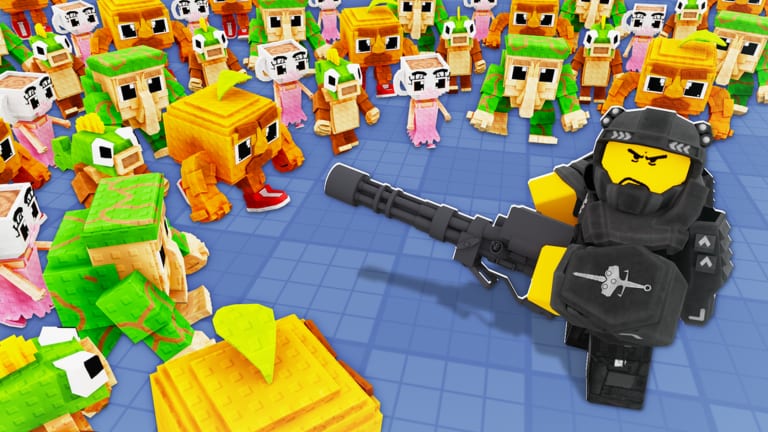
Brainrots are Roll Your Army’s economic engine — collectible units you roll alongside troops, then equip into slots to generate passive cash while you defend waves or run Auto Roll. The official Roblox description highlights equipping Brainrots to make money, buying Lucky Blocks, and expanding your Skill Tree. Understanding Brainrot bands matters as much as placing troops because income funds every luck upgrade that pulls higher rarity defenders.
This roster page explains equip behavior, rarity colors, and duplicate policy without fabricated character names. Use it with the Brainrots tier list, Brainrot income guide, and players hub.
Brainrot slots and passive income
Equipped Brainrots tick income while you:
- Roll for new troops or Brainrots
- Fight Brainrot waves on your base
- Stand in hub menus planning upgrades
Empty slots earn nothing. During your first hour, even D-tier or code-reward Brainrots beat blank slots — redeem UPDATE4 via the codes page before judging free units harshly.
Income speed scales with rarity band, possible update multipliers, and whether you maintain full slots across sessions. After Update 4, re-check income if patch notes mention Brainrot balance.
How to equip and swap Brainrots
Standard flow from the controls guide:
- Open inventory or Brainrot roster from the HUD.
- Select a Brainrot card.
- Tap an empty equip slot or choose replace on a filled slot.
- Confirm swap — unequipped units return to inventory.
- Watch income tick upward before starting expensive Lucky Block purchases.
Swap lowest band first when upgrading. Avoid replacing your entire line mid-wave unless leak pressure demands combat-capable Brainrots temporarily.
Rarity bands on Brainrot cards
Brainrots share color tiers with troops but optimize different stats:
| Band | Income role | Typical lifespan |
|---|---|---|
| Common / Uncommon | Minutes of filler | Sell once slot filled |
| Rare | First stable income | Until Epic+ |
| Epic | Mid-game backbone | Until Legendary+ |
| Legendary | Long-term cash | Until top chase band |
| Secret / top tier | Endgame economy | Keep duplicates only if trading updates arrive |
Match cards to the Brainrots tier list instead of community name tier charts from other Roblox games.
Code Brainrots and event rewards
Promo codes such as UPDATE4 distribute free Brainrots when Base Guardians! ships numbered updates. These rewards:
- Appear in inventory after Shop redemption
- Often land in mid bands but outperform empty slots
- Should be replaced when rolled upgrades strictly beat them
- May be mentioned in updates hub patch summaries
Redeem newest codes first; older UPDATE codes may expire without notice.
Duplicates, selling, and inventory hygiene
Brainrot inventory clogs faster than troop tiles because rolls produce many economic units:
Keep the highest band per equip slot.
Bench one backup in each band if you fear patch nerfs — but not twenty duplicates.
Sell lower-band duplicates when:
- A higher band occupies the same income role
- You need coins for Skill Tree luck before a Luck Planner session
- Inventory limits block new rolls
Never sell your only equipped unit in a slot unless replacing in the same action.
Combat-capable Brainrots
Some Brainrots show combat stats. Treat them as hybrids:
- Default priority remains income unless waves stall with full troop layout
- Test hybrids during paused waves before sacrificing steady cash
- Return to base defense if hybrids underperform — placement still matters
Most accounts should not replace troop tiles with Brainrots except during experimental phases.
Funding the Skill Tree with Brainrot income
Coins from equip slots pay for:
- Luck I and Luck II nodes
- Auto Roll unlock
- Roll speed upgrades
- Friend luck and related bonuses
Read purchase order in the Skill Tree guide. Brainrot income is the safest accelerator because it does not depend on winning every wave — only on keeping slots filled.
Brainrots and Lucky Blocks
Lucky Blocks temporarily boost roll luck. Efficient loop:
- Fill Brainrot slots for steady income
- Save until Lucky Block purchase is affordable
- Run Luck Planner checklist
- Roll troops and Brainrots during stacked buffs
- Equip upgrades immediately, sell fodder
Rolling without full income slots slows the loop because you rebuild coins between purchases.
Saturday update checklist for Brainrots
After each patch:
- Read updates for income or band changes
- Re-equip if a formerly benched band received buffs
- Re-test code Brainrots against new rolled upgrades
- Avoid external scripts claiming auto-equip best — manual swaps are safer
Related pages
- Brainrots tier list — S through D income rankings
- Brainrot income guide — slot strategy deep dive
- Troops roster — field defenders separate from equip income
- Getting Started — first-hour equip priorities
Brainrots turn rolling RNG into predictable economy. Fill every slot, upgrade bands aggressively, and let passive cash fund the luck that pulls stronger troops.
Frequently Asked Questions
Quick answers about Roll Your Army Roblox.
How do Brainrots make money in Roll Your Army?
Equip them in roster slots. Passive income ticks while you roll or fight waves. Empty slots earn nothing.
Should I equip or sell my first Brainrots?
Equip the best band in each slot early. Sell duplicates only after a higher band covers the same income role.
Do UPDATE4 code Brainrots stay equipped long term?
Use them until rolled Epic or Legendary income units strictly beat them. Code rewards are starters, not permanent BiS.
Can Brainrots replace troops on the field?
Rarely. Most Brainrots are income units. Troops belong on placement tiles for wave defense.
Where are Brainrot tier rankings?
See the Brainrots tier list for S through D bands focused on income per equip slot.