Play Roll Your Army With Friends
Five-player servers, friend luck, and how to hop in without losing your base to scams.
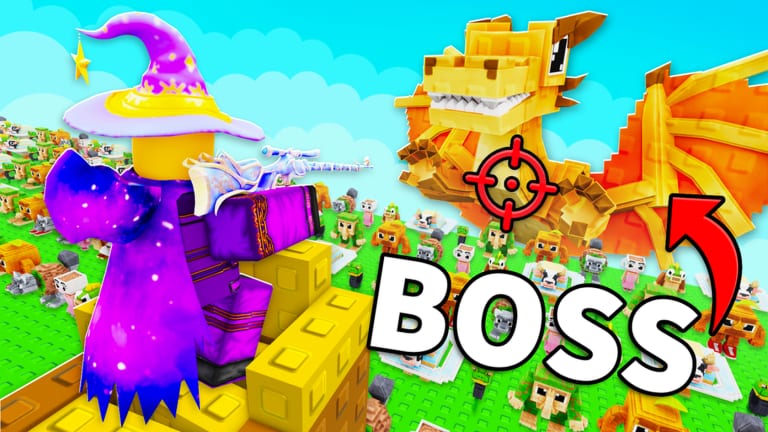
Roll Your Army is a released online Roblox experience: you share a server with other players while each person still owns their own troops, Brainrots, and Skill Tree. MXBLOX and the experience config list a five-player cap. That small party size is the whole social layer — enough for friend luck and layout advice, not a 20-person raid. This guide covers how to join friends, why you should, what you do not share, and how Admin Abuse windows differ from random strangers claiming they are staff.
Why play with other people
Friend luck is a Skill Tree / server bonus in this genre. Once you own the relevant node (see the Skill Tree guide), extra people in the server raise roll quality during Auto Roll and Lucky Block bursts. The increase luck page and Luck Planner put that bonus in the stack. Even before the node unlocks, a second player is useful: they can call leak sides, compare rarity colors after a Saturday patch, and keep you honest about selling too early.
You do not share troops. You do not dump your Brainrot income onto their slots. Watching someone else’s base is still the fastest way to see whether your problem is rarity or placement — a lesson the base defense guide repeats for a reason.
How to join a friend’s server
Roblox join flow is the same as other experiences:
- Add the friend on Roblox (the account that actually plays, not a spare).
- Open Roll Your Army from their profile Join Game button, or use the in-experience friends list if the HUD exposes it.
- Wait until your HUD and Shop finish loading before rolling. Codes and potions live in Shop → Codes — codes page.
- Confirm you are on the same server instance. The cap is five; a sixth join lands somewhere else.
This experience does not allow VIP servers (Roblox lists createVipServersAllowed as false). Anyone selling a private admin lobby is scamming. Friend luck works on the public five-player servers. Never pay a stranger for a “secret VIP with admin.” That pattern is a scam in this genre; the Admin Abuse guide lists the official Discord invite only.
Server etiquette that protects your economy
- Finish tutorial prompts before hopping, so you can actually place troops.
- Redeem UPDATE5, ADMINABUSE, and GUMMYEVENT on your own Shop. Friends cannot redeem for you.
- Do not pause someone else’s wave by crowding voice chat with roll spam — agree on a Lucky Block window using the Lucky Blocks timing rules.
- If a friend is stuck on a wave, compare layouts tile by tile rather than telling them to “just roll Mythic.” Placement still beats a single rare card on the wrong tile.
- Leave if the server is lagging hard enough to eat Auto Roll ticks. Luck windows are timed; a frozen client wastes Money Potions too — make money.
Admin Abuse versus friends
ADMINABUSE is a shop code and a live-ops pattern: developers hop into a public or announced server and spike rewards. Friends cannot fake that. If someone in a five-player lobby claims they are KubaaaHD / xKubq and asks you to follow an off-platform link, leave. Official channels are the Roblox page, Roblox experience, and the Base Guardians! group. The official links page collects those URLs.
During a real window, stack luck first, then roll. Friend luck plus staff luck plus a Lucky Block is the dream session — but only if Auto Roll and slots are ready.
What to talk about after a Saturday patch
Base Guardians! still ships every Saturday. The candy title did not change after 15 August 2026, yet trackers recorded activity around 25 August 2026. Friends are useful for a five-minute retest: run waves 1–5, compare Skill Tree prices, and check whether Shop potions still match last week’s popup. Use the post-Gummy patches checklist so the party is testing the same things.
Do not copy troop names from other Brainrot games. Rank whatever you actually pulled on the tier list hub.
Controls on shared sessions
PC and mobile players can share a server. If a friend cannot place troops, send them the controls guide before blaming their roster. Mis-taps during a luck window waste the whole stack.
Related pages
- Getting Started — solo first hour before you invite people
- Increase luck — where friend luck sits in the stack
- Admin Abuse — live staff windows, not lobby impostors
- Scripts hub — do not “help” friends by sending executor files
Play together to stack luck and debug layouts. Keep inventories separate, redeem your own codes, and treat anyone selling admin access as a stranger with a phishing link.
Frequently Asked Questions
Quick answers about Roll Your Army Roblox.
How many players can join a Roll Your Army server?
Trackers list a five-player cap. A sixth friend will land in a different instance.
Do friends share troops or Brainrots?
No. Each account keeps its own roster, Skill Tree, and Shop redemptions. You only share the server and any friend-luck bonus.
How do I get friend luck?
Unlock the Friend Luck node on the Skill Tree if it appears, then play with people in the same server. Pair it with Lucky Blocks using the Luck Planner.
Can a friend redeem codes for me?
No. Enter UPDATE5, ADMINABUSE, and GUMMYEVENT in your own Shop → Codes panel.
Are VIP admin servers real?
Only trust Admin Abuse times posted on official Discord. Paid “admin VIP” links from random players are a common scam.