Roll Your Army Update 5 (Gummy Event)
Candy title tag, three Shop codes, and what to retest after the 15 August 2026 patch.
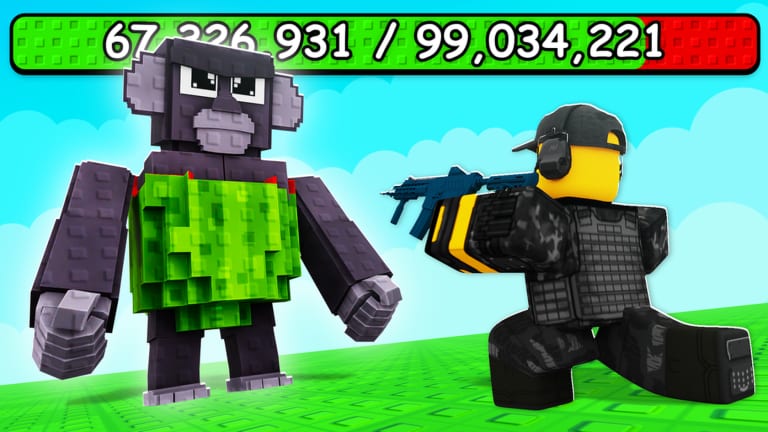
Update 5 is the current headline patch for Roll Your Army by Base Guardians! On 15 August 2026 the live experience renamed from [UPD 4] Roll Your Army! ⚔️ to [🍬] Roll Your Army! ⚔️ and the description was rewritten to promote three Shop codes: UPDATE5, ADMINABUSE, and GUMMYEVENT. That candy branding is the Gummy Event layer on top of the same core loop — roll troops, place defenders, kill Brainrot waves, equip Brainrots for money, buy Lucky Blocks, and expand the Skill Tree.
This page is unofficial. Confirm rewards in-game and watch the Roblox page plus Roblox experience for hotfixes. SpawnRadar’s change log records the rename and description edit at 15 August 2026, 5:07 PM; the last public “notable update” timestamp on that tracker matches the same day. Later Saturdays may have shipped quiet hotfixes without a new title tag — treat the candy name plus those three codes as the live surface until the description changes again.
Codes that shipped with Update 5
The Roblox description explicitly asks players to use these strings in Shop:
| Code | Reward | Status |
|---|---|---|
| UPDATE5 | Free Brainrots (GameRant, 20 Aug 2026) | Active |
| ADMINABUSE | Shop reward for Admin Abuse windows | Active — listed on the Roblox page |
| GUMMYEVENT | Shop reward for the Gummy Event | Active — listed on the Roblox page |
| UPDATE4 | Free Brainrots | Retired with the [UPD 4] title |
| UPDATE3 | Free Brainrots | Expired |
Type GUMMYEVENT with no extra ]. Full redemption steps live on the codes page. If UPDATE5 already redeemed on this account, still try the two event strings.
What the Gummy Event actually changed
Public patch notes are thin — Base Guardians! posts detail in Discord more often than on the Roblox page. From official text and the title change, Update 5 is a themed Saturday bundle, not a new genre:
- Title tag — candy icon instead of
[UPD 4], which is how Roblox search currently shows the game - Code rotation — UPDATE5 replaces UPDATE4; event strings ADMINABUSE and GUMMYEVENT sit beside it
- Event dressing — gummy / candy presentation on top of troops, Brainrots, Lucky Blocks, and the Skill Tree
- Admin Abuse hook — a dedicated code implies developer-hosted reward windows; see Admin Abuse
- Same loop — the How To Play bullets on the Roblox page did not change: roll, place, kill Brainrots, equip income, buy Lucky Blocks, expand Skill Tree, unlock troops
We do not invent a full candy unit name list. Saturday games in this genre often add themed Brainrots or Lucky Block art without publishing every card. Compare new colors on the troops and Brainrots tier lists instead of copying names from other Roblox titles.
For event-specific play order — when to spend Gummy rewards versus Skill Tree coins — read the Gummy Event guide.
Post-Update 5 checklist
Run these steps the first time you log in after the candy title appears:
- Redeem UPDATE5, ADMINABUSE, and GUMMYEVENT before farming or rolling.
- Read Discord for hotfixes that never reach the Roblox description.
- Replay waves 1–5 with your existing layout — note leak sides and time-to-clear changes.
- Open Skill Tree — confirm node costs still match the Skill Tree guide.
- Check Shop prices for Lucky Blocks or event items — run the Luck Planner if costs shifted.
- Compare inventory bands before mass-selling Epics.
- Revisit base layout using base defense if wave scaling increased.
Skipping redemption wastes the patch’s most visible player reward.
Economy impact
UPDATE5 Brainrots (and any Gummy Event drops) usually land in mid rarity bands but still beat empty equip slots:
- Equip immediately — Brainrot income guide
- Replace when rolled upgrades strictly beat them on the Brainrots tier list
- Sell duplicates only after higher bands cover each income role
- Fund Luck I and Auto Roll if not already owned
Code rewards stack with liking the game, joining the Base Guardians! group, and friend luck when those bonuses are active.
Combat and roster impact
Themed updates may add candy-colored cards or retune wave health even when no public name list ships:
- Retest choke-point melee and backline ranged — troops roster
- Do not demote Legendary anchors until they fail live waves
- Watch for new rarity colors in roll results
If clears feel harder despite the same layout, wave health may have risen — read beat Brainrot waves before blaming luck.
Timeline of public title tags
SpawnRadar’s notable-change list for universe 10251613257:
| Date (2026) | Public change |
|---|---|
| 5 July | Icon change; title moved off [UPD 2] |
| 8 August | Renamed to [UPD 4] Roll Your Army! ⚔️; description edited |
| 15 August | Renamed to [🍬] Roll Your Army! ⚔️; description edited to the three live codes |
Created 31 May 2026. Owner KubaaaHD / xKubq, publishing group Base Guardians!. Those dates are tracker timestamps, not a full internal changelog.
What to avoid on patch day
- Mass-selling duplicates before five test waves
- External scripts promising instant rolls — scripts hub
- Unofficial lists that still say UPDATE4 is the only code
- Invented UPDATE6/UPDATE7 strings that are not on the Roblox page
Related resources
- Updates hub — Saturday tracker
- Codes — working and expired strings
- Gummy Event guide — how to play the candy layer
- Admin Abuse — live reward windows
- Update 4 — previous numbered patch
Update 5 is live while the Roblox title shows the candy tag and UPDATE5 redeems successfully. Claim the three codes, run the checklist, then push your base into the event meta.
Frequently Asked Questions
Quick answers about Roll Your Army Roblox.
What is the Roll Your Army Update 5 code?
UPDATE5 is the numbered patch code. The Roblox description also lists ADMINABUSE and GUMMYEVENT. Enter all three in Shop → Codes.
When did Update 5 / the Gummy Event release?
Public trackers record the candy title rename and description edit on 15 August 2026. Base Guardians! still targets Saturday drops.
Does UPDATE4 still work after Update 5?
Usually no. Try UPDATE5 first. Older UPDATE codes expire when a new numbered patch ships.
Do I lose progress in Update 5?
Accounts generally keep troops, Brainrots, and Skill Tree progress. Stats and costs may rebalance — retest waves instead of assuming old power levels.
What should I do first after Update 5?
Redeem UPDATE5, ADMINABUSE, and GUMMYEVENT, equip free Brainrots, replay early waves, check Skill Tree costs, and review tier lists before selling duplicates.